
How to Use Twitter (X.com) User Info Scraper: Profiles, Followers & Following, Step by Step
Twitter (X.com) User Info Scraper returns full X profiles from a username, a numeric user ID or a profile URL. It can also list the followers and following of any public account, and it filters those lists before they are delivered and charged. No X login is needed.
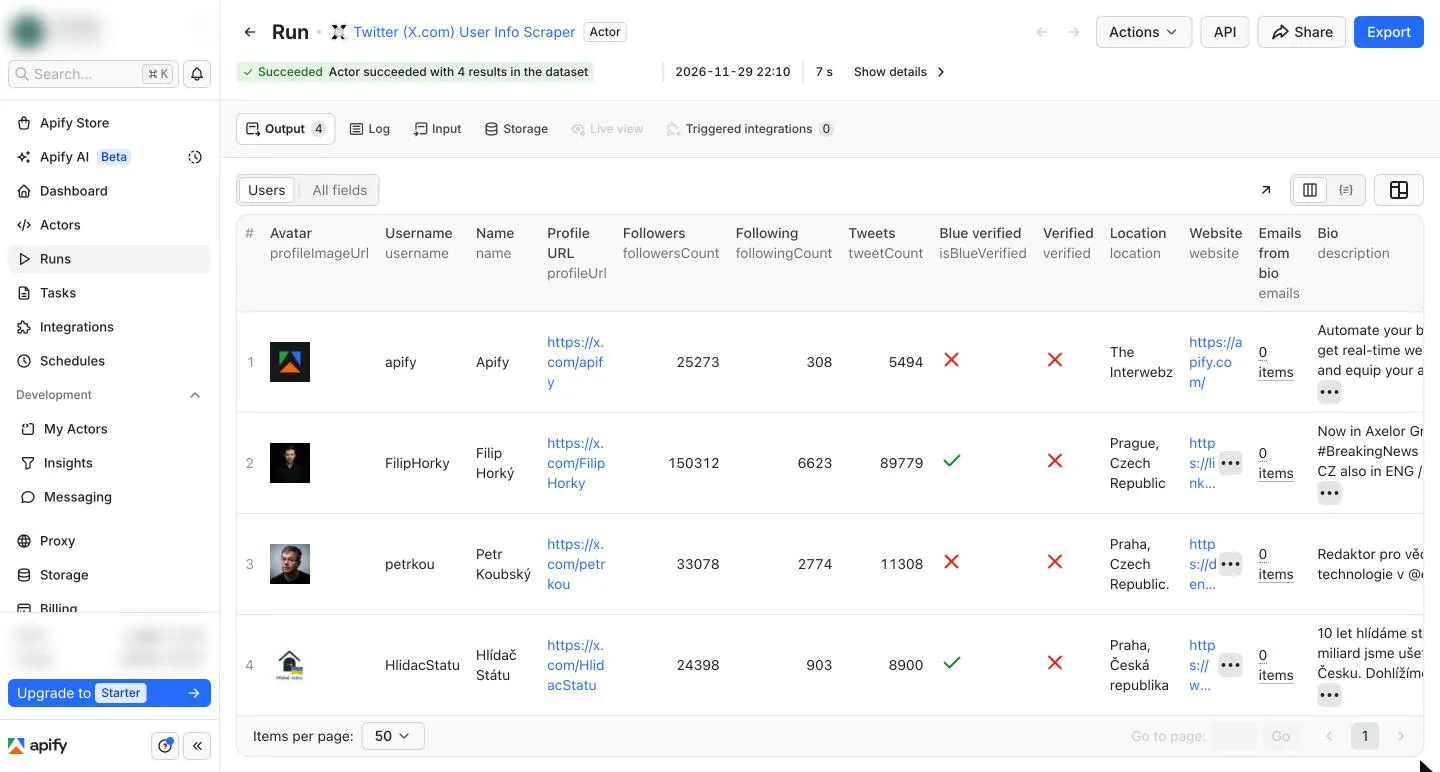
For this walkthrough I asked one question: @apify has 25,273 followers, so which of them run a website and have at least 1,000 followers of their own? The run took 7 seconds and returned 4 rows: the @apify profile plus 3 matching followers. The biggest match has 150,312 followers.
Below is every step with real Apify Console screenshots, the exact JSON input, a sample output row, and Python/Node code.
What you can scrape
Result type (type) |
Turn it on with | What you get |
|---|---|---|
userInfo |
shouldScrapeUserInfo (default true) |
The full profile of each user you list |
follower |
shouldScrapeFollowers |
The followers of each user, up to maxItems per user |
following |
shouldScrapeFollowings |
The accounts each user follows, up to maxItems per user |
You can list users in three ways, and mix them in one run:
usernames:elonmusk,@nasa(with or without@)userIds:44196397startUrls:https://x.com/apify
Every user record includes followersCount, followingCount, tweetCount, likeCount, mediaCount, description (bio), location, createdAt, verified, isBlueVerified, profileUrl, avatar and banner URLs, and two fields that help with lead generation: website (the expanded profile link) and emails (addresses found in the bio). Followers and following also carry sourceUser, the account you asked about.
Step 1: Open the Actor
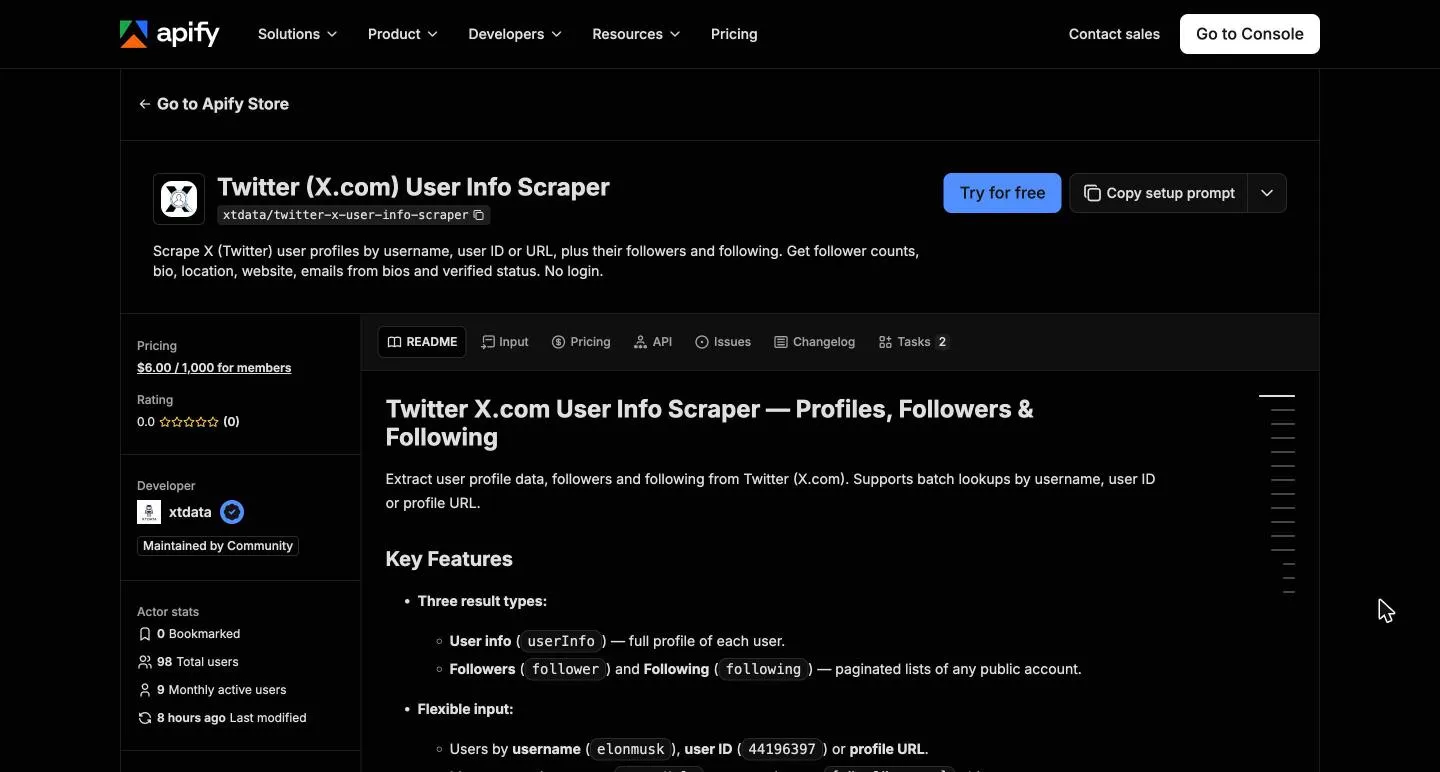
Open Twitter (X.com) User Info Scraper on Apify and click Try for free. No account yet? Sign up here. Pricing is $6.00 / 1,000 profiles for members, and follower lists are much cheaper (see Pricing).
Step 2: Name the account
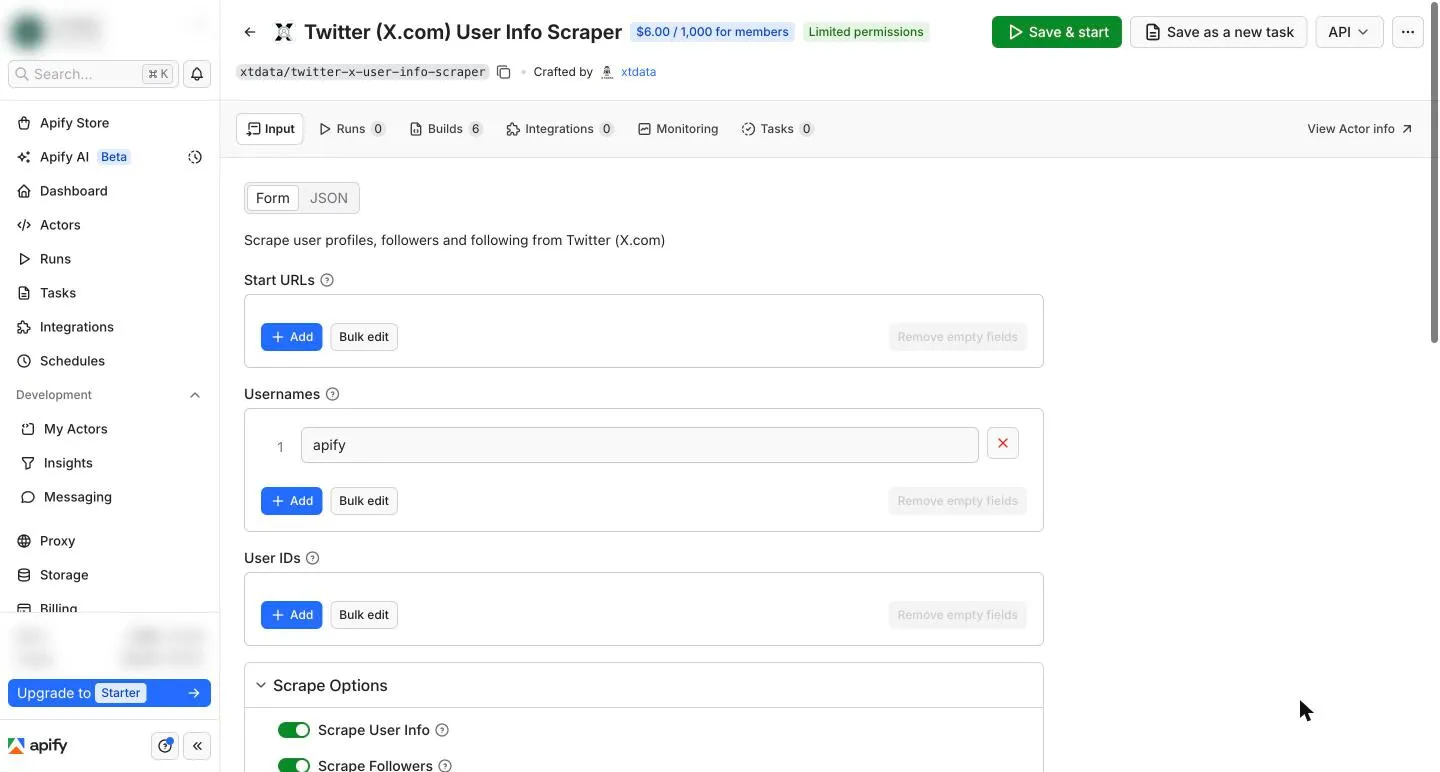
Apify Console opens on the Input tab. Fill in at least one of Start URLs, Usernames or User IDs. I typed one username, apify. Use Bulk edit to paste many accounts, one per line.
Step 3: Pick the list and set filters
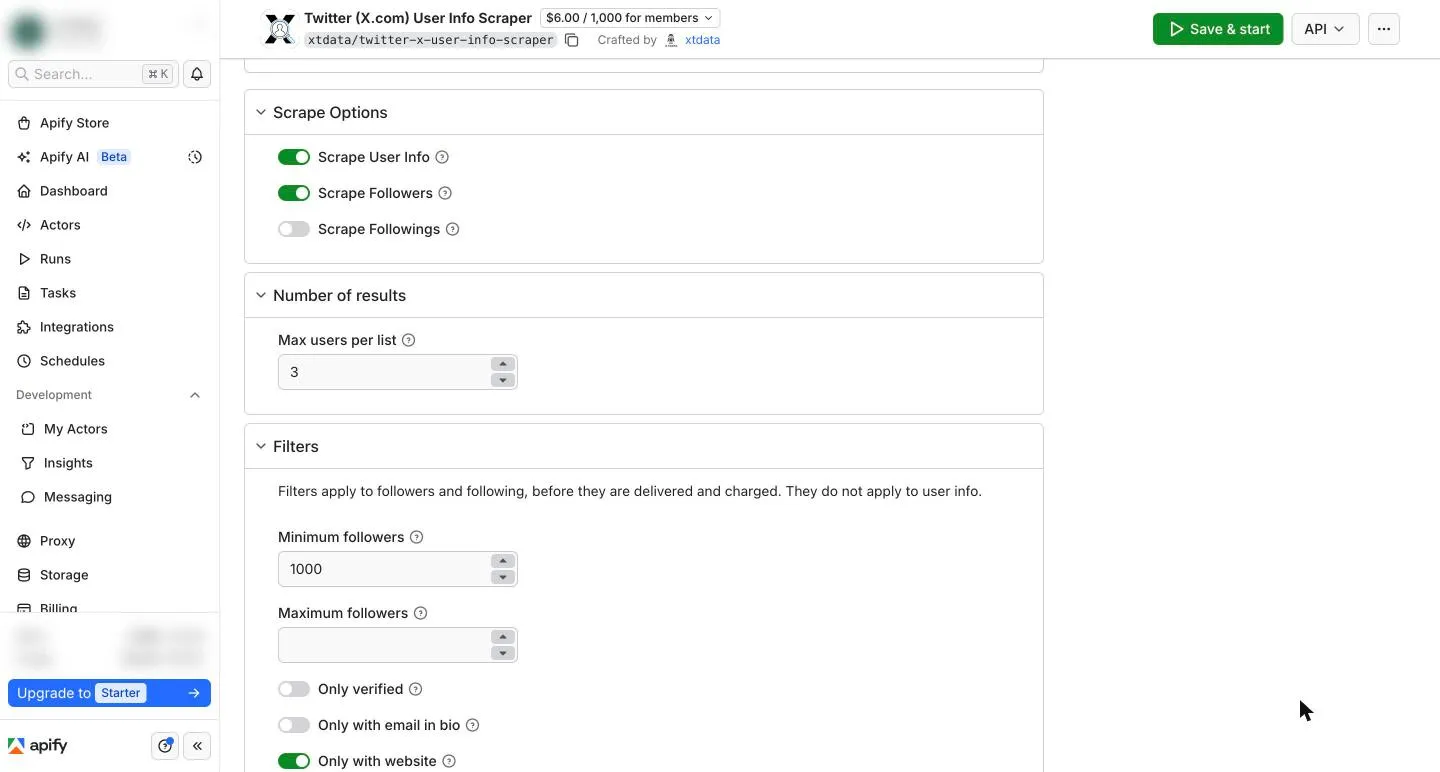
Under Scrape Options, choose what to collect for each user:
- Scrape User Info: the profile itself (on by default)
- Scrape Followers: who follows them
- Scrape Followings: who they follow
Max users per list (maxItems) caps followers or following per user. It is exact and duplicates are removed. I set it to 3 for this test.
Then open Filters. These apply to followers and following before anything is delivered or charged:
- Minimum followers / Maximum followers: a follower-count range (I used minimum
1000) - Only verified: legacy verified or blue verified accounts
- Only with email in bio
- Only with website (I turned this on)
- Max profiles checked per target (
maxScanned): how many profiles to check before stopping when filters are on. Default: max users × 5
Users removed by filters are not charged. If you get fewer results than expected, the first
maxScannedprofiles didn’t match: raisemaxScannedor relax the filters.
Step 4: Or paste the input as JSON
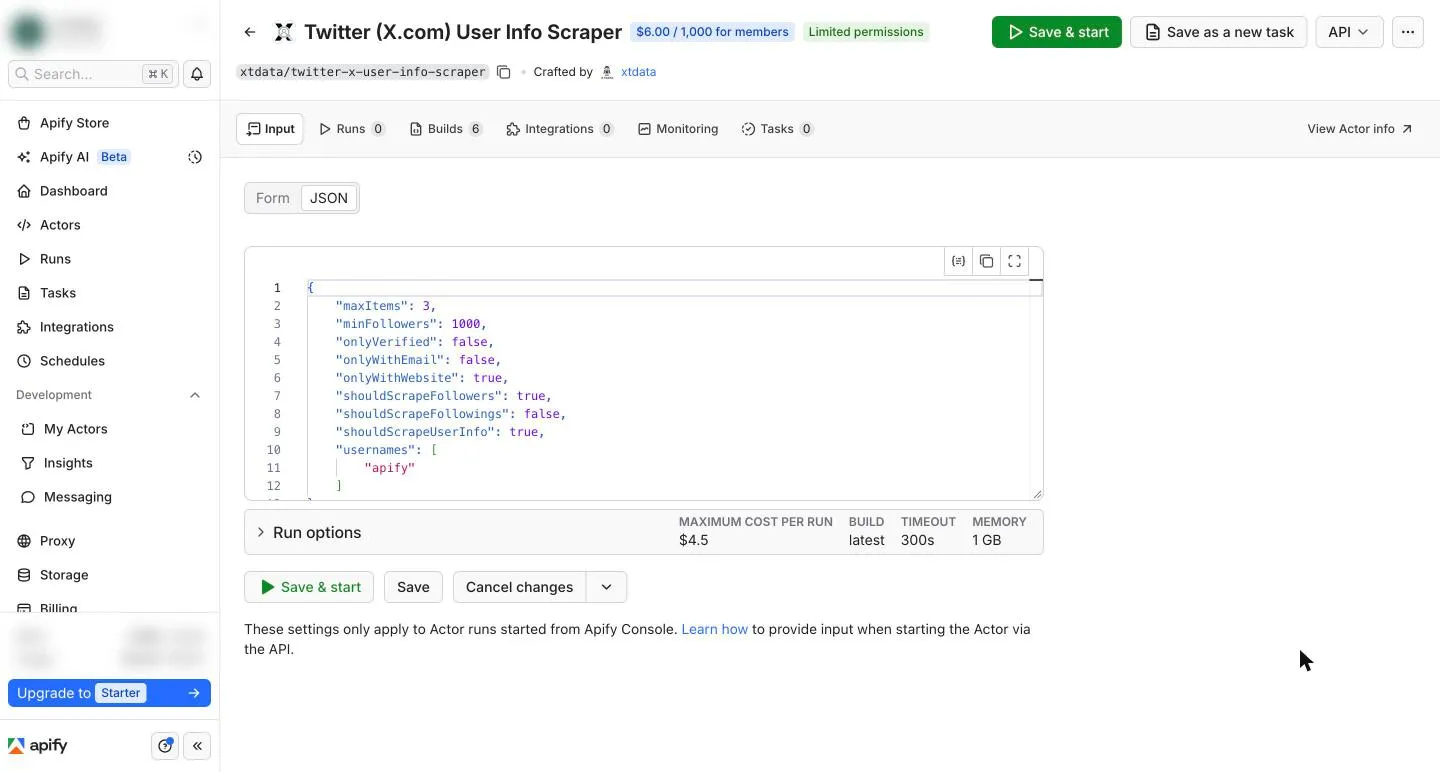
Switch from Form to JSON to copy or paste the whole input. This is the exact input of the run:
{
  "usernames": ["apify"],
  "shouldScrapeUserInfo": true,
  "shouldScrapeFollowers": true,
  "shouldScrapeFollowings": false,
  "maxItems": 3,
  "minFollowers": 1000,
  "onlyVerified": false,
  "onlyWithEmail": false,
  "onlyWithWebsite": true
}
Step 5: Save & start, then read the Users table
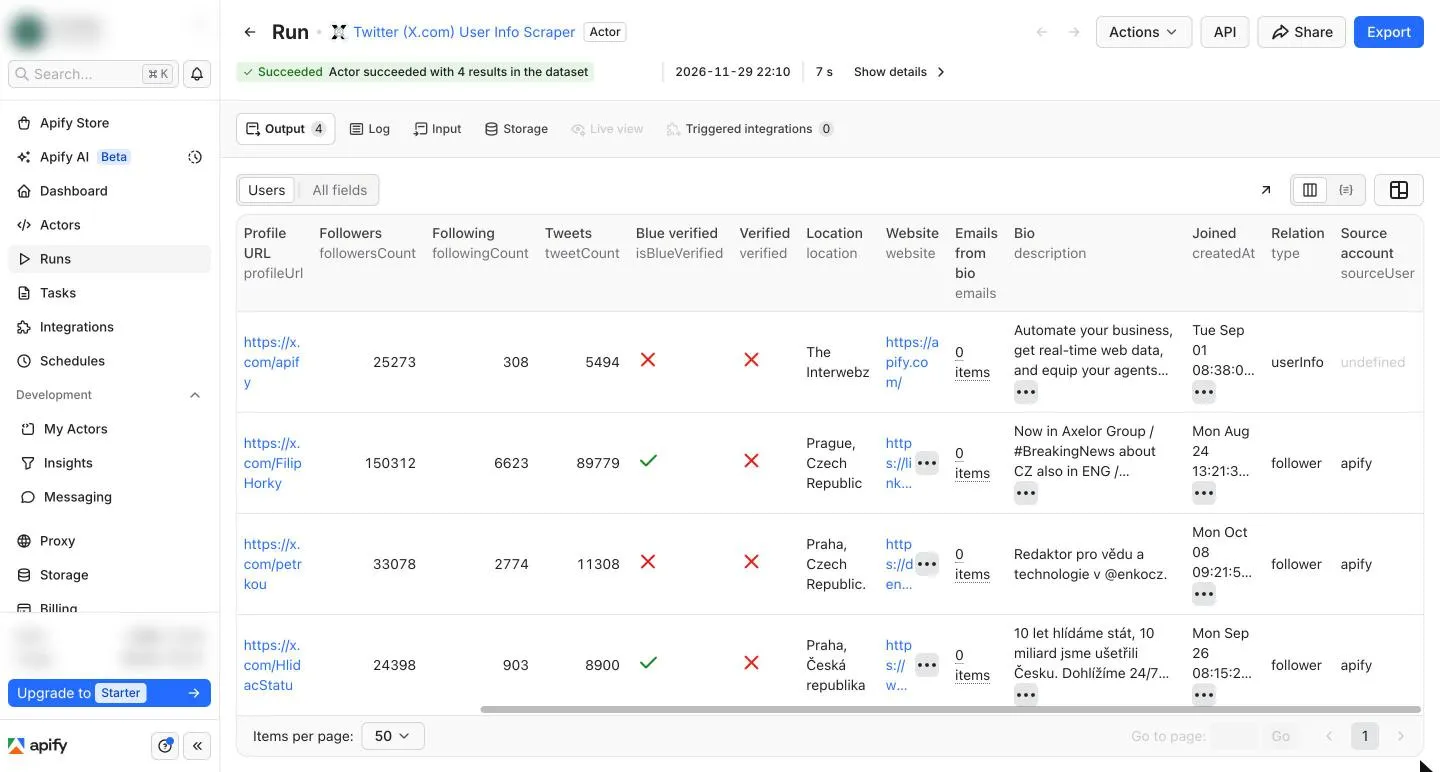
Click Save & start. The run succeeded in 7 seconds with 4 results: the @apify profile (type: userInfo) and 3 followers (type: follower). All three have a website, and they have 150,312, 33,078 and 24,398 followers.
The Users view shows avatar, username, name, profile URL, followers, following, tweets, blue verified, verified, location, website, emails from bio and bio:
Scroll right for Joined (createdAt), Relation (type) and Source account (sourceUser):
A real follower row from this run (an organization’s public profile, shortened):
{
  "type": "follower",
  "id": "780319838187220993",
  "name": "Hlídač Státu",
  "username": "HlidacStatu",
  "followersCount": 24398,
  "followingCount": 903,
  "tweetCount": 8900,
  "createdAt": "Mon Sep 26 08:15:21 +0000 2016",
  "location": "Praha, Česká republika",
  "verified": false,
  "isBlueVerified": true,
  "profileUrl": "https://x.com/HlidacStatu",
  "website": "https://www.hlidacstatu.cz/",
  "emails": [],
  "sourceUser": "apify"
}
Step 6: Export to CSV, Excel or JSON
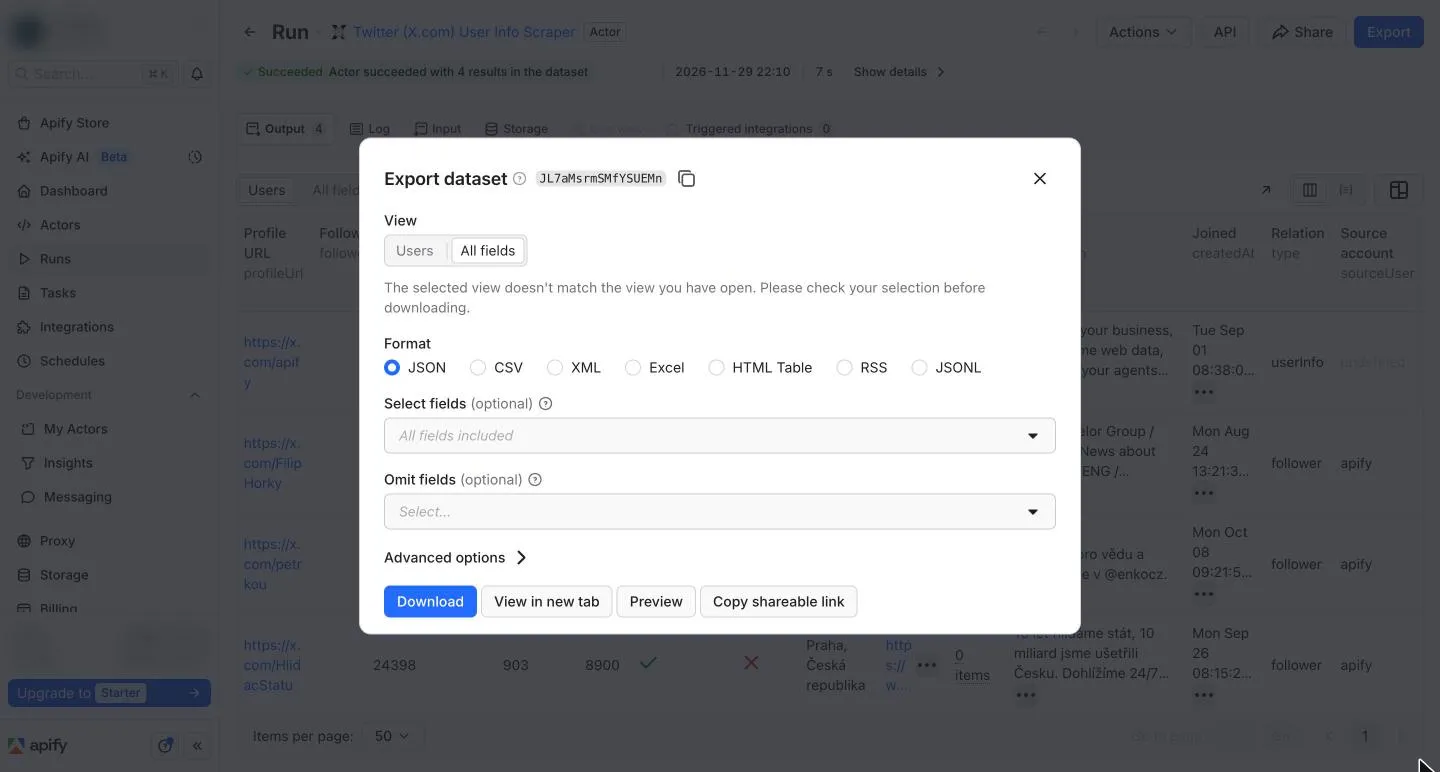
Click Export on the run page. Pick the Users view (flat columns, good for spreadsheets) or All fields, then download as JSON, CSV, XML, Excel, HTML Table, RSS or JSONL. You can also select or omit fields.
Run it from code (Python & Node.js)
Get your token from Settings → API & Integrations in Apify Console.
Python (pip install apify-client):
from apify_client import ApifyClient

client = ApifyClient("YOUR_APIFY_TOKEN")

run = client.actor("xtdata/twitter-x-user-info-scraper").call(run_input={
    "usernames": ["apify"],
    "shouldScrapeUserInfo": False,
    "shouldScrapeFollowers": True,
    "maxItems": 100,
    "minFollowers": 1000,
    "onlyWithWebsite": True,
})

for user in client.dataset(run["defaultDatasetId"]).iterate_items():
    print(user["username"], user["followersCount"], user.get("website"), user.get("emails"))
Node.js (npm install apify-client):
import { ApifyClient } from 'apify-client';

const client = new ApifyClient({ token: 'YOUR_APIFY_TOKEN' });

const run = await client.actor('xtdata/twitter-x-user-info-scraper').call({
    userIds: ['44196397'],
    shouldScrapeUserInfo: false,
    shouldScrapeFollowings: true,
    maxItems: 50,
});

const { items } = await client.dataset(run.defaultDatasetId).listItems();
console.log(items.map((u) => `${u.username} (${u.followersCount})`));
Pricing
Pay per event, with no separate Actor subscription. You pay for each delivered user. Users removed by filters are free.
| Event | Starter / Scale members (Bronze, Silver) | Gold / Platinum / Diamond |
|---|---|---|
Profile (userInfo) |
$6.00 / 1,000 | $5.60 / 1,000 |
Follower (follower) |
$0.50 / 1,000 | $0.40 / 1,000 |
Following (following) |
$1.00 / 1,000 | $0.90 / 1,000 |
| Actor start | $0.00005 per run | $0.00005 per run |
The Actor is priced for paid Apify plans: on the Free plan each result costs $1, so test with a small maxItems and set Maximum cost per run under Run options as a hard budget cap.
Tips
- Lead lists from a competitor’s audience: scrape
followerwithonlyWithWebsiteoronlyWithEmailand aminFollowersfloor. You only pay for the matches. - Influencer shortlists: combine
minFollowersandmaxFollowersto target a tier (e.g. 10K–100K) and addonlyVerified. - Network mapping: run
followingfor a set of accounts and join the rows onsourceUserto build a graph. - Reshape rows:
customMapFunctiontakes plain synchronous JavaScript and returns the object to save (for example, keep onlyusername,followersCountandwebsite). It’s not meant for filtering; use the filter inputs for that. - Interrupted runs continue where they stopped, and runs respect your maximum cost.
FAQ
Do I need an X account or cookies? No. The Actor reads only publicly visible data, without logging in.
Does maxItems limit profile lookups?
No. It caps followers and following per user. Every user you list gets one userInfo row when user info is on.
What if a username doesn’t exist? It is logged as not found and is not charged. The run fails only if every request fails.
Can I get protected accounts’ followers? No, only public data.
Ready to try your own question? Open Twitter (X.com) User Info Scraper on Apify.